
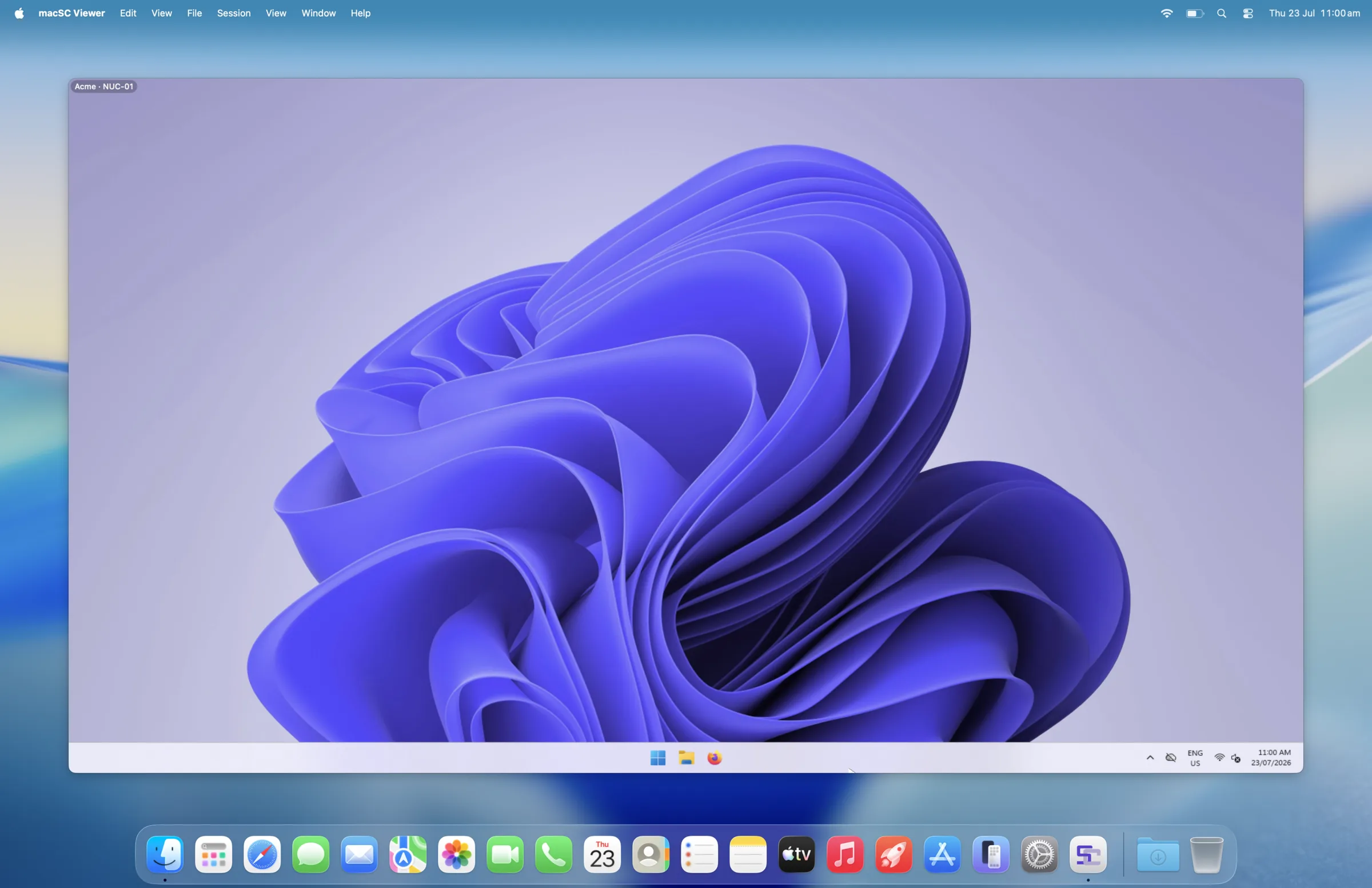
Finally, a native ScreenConnect client for macOS.

macSC displaying a remote Windows desktop on a MacBook Air

Custom keyboard bindings

Your shortcuts. Your workflow.

Make every key work the way you expect.

Choose exactly how macSC handles keyboard shortcuts in remote sessions.

Create global bindings, per-platform bindings or shortcuts for individual actions—from switching monitors and sessions to sending Ctrl+Alt+Delete.

No more reaching for menus. No more memorising someone else’s workflow.

Clipboard directionality

Copy with confidence.

You decide where your clipboard goes.

Better clipboard support

Control clipboard synchronisation in each direction.

Allow copying from your Mac to the remote computer, from the remote computer back to your Mac, both ways—or disable it entirely for sensitive sessions.

macSC makes clipboard behaviour visible and predictable, so copying a password or customer record never goes somewhere you did not intend.

File transfers that feel like a Mac

Choose files with Finder. Save files where they belong.

Send files through a native macOS file picker.

Drag in a file, choose one through Finder or send an entire folder.
When receiving files, choose the destination with the standard macOS save window.

It works the way file transfers already work everywhere else on your Mac.

Real fullscreen mode

Every pixel. Nothing in the way.

Give the remote desktop the space it deserves.

macSC expands into a notch-aware native fullscreen workspace.

Hide the interface completely, then bring controls back only when you need them.

No permanent toolbar. No wasted space. Just the remote screen.

Coming soon

macSC is currently coming soon and in development. The first public release will focus on the core daily technician workflow. No public release date has been announced; availability will be published on this website when ready.